
Save TikTok Without Watermark: The Creator’s Guide 2026
A creator I know spent three hours re-editing the same video. She’d posted it to TikTok, then wanted it on Reels and Shorts, but the only copy she still had was the one she’d downloaded back from the app, watermark stamped across it. Instagram’s algorithm buries reposts with a competitor’s logo on them. So she rebuilt it from scratch.
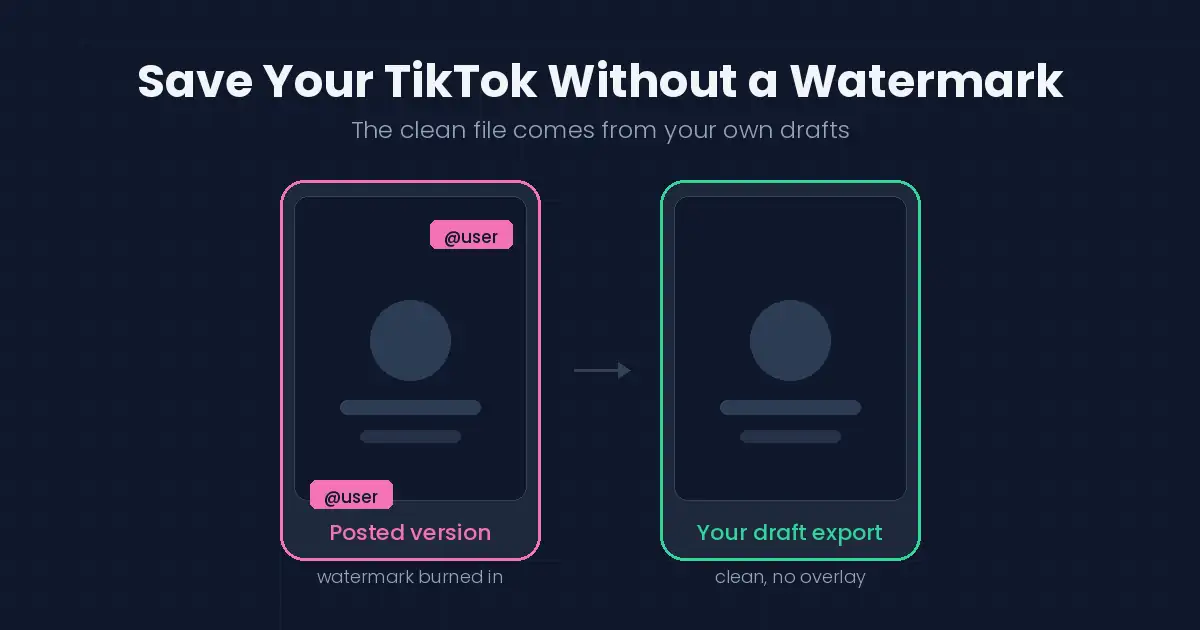
She didn’t need to. The clean file had been sitting in her Drafts the whole time.
That’s the thing most guides get backwards. If you want to save TikTok without watermark overlays, the answer almost never involves a stripping tool. It involves knowing where TikTok already keeps your clean original, and the answer changes depending on whether you made the video or someone else did.
Why the watermark is there in the first place
The overlay isn’t a bug or a nuisance TikTok added to annoy you. It’s attribution. It carries the creator’s handle so the video stays traceable to whoever made it as it travels across the internet.
That distinction matters more than it sounds. Removing your own watermark from your own video is housekeeping — you’re the creator, the attribution is to you, and you’re just prepping a file for cross-posting. Removing someone else’s watermark strips their name off their work. Same technical action, completely different thing.
Every method below covers the first case. I’ll be direct about the second one further down.
Method 1: Save it before you post
This is the one that saves you every future headache, and almost nobody does it.
On the final editor screen — the one with the caption box, right before you tap Post — there’s a Save to device option in the settings on that page. Turn it on. TikTok writes a clean copy to your camera roll at the same moment it uploads.
No overlay. Full resolution. Zero extra steps once you’ve built the habit.
If you post regularly and plan to cross-post at all, stop reading here and go turn this on. Everything else in this article is a workaround for not having done it.
Method 2: Pull it out of Drafts
Already posted and didn’t save? Check Drafts before you do anything else.
Drafts hold the pre-publish version of your video, and pre-publish means pre-watermark. Open the draft, go to the editor screen, and use Save to device from there. You get the clean file even though the public version is already live.
The catch: this only works if a draft exists. If you filmed and posted in one motion without ever saving a draft, there’s nothing to pull from. Which brings us to the last reliable option.
Method 3: Rebuild from your source clips
Your original footage never had a watermark on it. It’s still in your camera roll.
If the TikTok was mostly a single clip with a caption or two, re-uploading the source to Reels or Shorts and adding text there takes about two minutes — and you get a native-format file with no competitor branding, which those platforms actively favor.
For heavily edited videos this is more work, obviously. But it’s also the version that performs best, because you’re editing for each platform instead of recycling one file everywhere.
What about tools that strip the watermark off any video?
Here’s where I’ll be blunt, because you’ll find plenty of sites happy to tell you otherwise.
Those tools work on anyone’s video, not just yours. That’s exactly the problem. When the video is someone else’s, removing the watermark deletes the only thing tying that work back to the person who made it — and reuploading it that way is how accounts get struck for content theft, on every platform, not just TikTok.
There’s a practical risk too. Third-party downloader apps in either app store frequently ask for permissions they have no business needing, read your clipboard in the background, or wrap the same web tool you could have used directly in a layer of full-screen ads. If a tool asks for your TikTok login, close it immediately. No legitimate downloader needs your credentials.
If you are comparing tools instead of guessing, our roundup of the best video downloader apps applies the same safety checks — permissions, update history, official sources — to every category of downloader.
And search engines have taken a harder line here. Pages built to facilitate stripping protection or attribution from other people’s content can be removed from results outright under anti-circumvention rules — the U.S. Copyright Office publishes the exemptions that define where that line sits, and personal backups of your own work aren’t the target.
The three methods above cover the legitimate use case completely. There’s no capability you’re giving up.
If you want to save someone else’s TikTok
Ask them. It sounds too simple to be the answer, but creators share source files with people who ask all the time, and it takes one message.
For personal viewing — you want a funny clip saved on your phone, that’s it — TikTok’s own Save video option works fine. The watermark stays, which is correct, because the video isn’t yours. It’ll play offline exactly the same.
What doesn’t work: saving a stranger’s video, stripping the attribution, and posting it as your own. That’s not a technical problem to solve. It’s just theft with extra steps, and the platforms are much better at catching it than they were two years ago.
Quick reference
| Situation | What actually works |
|---|---|
| Your video, not yet posted | Save to device on the editor screen |
| Your video, already posted, draft exists | Open the draft, save from the editor |
| Your video, no draft | Rebuild from source clips in your camera roll |
| Someone else’s video, personal viewing | TikTok’s Save video — watermark included |
| Someone else’s video, to repost | Ask the creator, or don’t |
Frequently Asked Questions
Does saving without a watermark reduce quality?
No. The clean export from your editor screen is the same resolution as the posted version — often better, since it skips a compression pass.
Why can’t I find Save to device?
It sits on the final screen before posting, in the settings section under the caption box. TikTok moves it occasionally, so scroll if you don’t see it immediately.
Can I get a clean copy of a video I posted years ago?
Only if a draft or your original source clips still exist. TikTok doesn’t retroactively hand out unwatermarked versions of published videos.
Will Instagram really penalize a watermarked repost?
Reels demotes content that carries visible logos from other platforms. It’s stated in their own creator guidance, and it’s the main practical reason to bother with a clean file at all.
Is downloading TikTok videos legal?
Saving your own work is entirely yours to do. Saving someone else’s for private viewing is generally tolerated. Republishing their work as your own is copyright infringement regardless of what tool produced the file.
What about audio — can I save just the sound?
Same principle applies. Our guide on saving TikTok audio covers the mechanics, and licensed music carries its own restrictions on top.
What this means for you
The watermark question is really a workflow question wearing a disguise.
Creators who turn on Save to device once never think about this again. Everyone else ends up hunting for a workaround after the fact, and sometimes reaching for tools that put their account at risk to solve a problem a single toggle would have prevented.
Go turn it on before your next post. Then this article stops being relevant to you, which is the point.
Working across platforms? Our guides on saving Instagram videos and exporting your Snapchat Memories follow the same rule: your content, your files. And when a clean clip belongs in a GIF — for comments, DMs, or a quick reaction — our video to GIF converter guide covers the fastest route.
[…] in your camera roll. Rebuilding from source takes longer but gives you the best result anyway. Our guide to saving your TikToks cleanly walks through all three routes in […]
[…] arrive already compressed by the platform, so there’s less headroom. Our guides on saving your own TikToks cleanly and cross-posting between platforms cover why keeping the original master matters so […]
[…] get a cleaner file by finding it on the platform where it was originally published. Our guides for downloading TikTok videos without a watermark and saving Instagram videos cover exactly […]
[…] you already know the workflow from other formats — the same approach you’d use to save TikTok videos without a watermark or cross-post short video applies here: save clean, edit deliberately, publish with […]
[…] If you’re a creator, keep your own master copies from the start; there’s a guide on saving clean copies of short-form videos that applies to Instagram […]