
Contact Sheet: Turn Any Video Into a Thumbnail Grid (2026)
A forty minute screen recording is a terrible thing to search. The good take is in there somewhere, but the timeline gives you a scrub bar and a thumbnail that never updates, so you drag, wait, drag again, and lose the thread. The same thing hits anyone reviewing a shoot or hunting the second where the audio went wrong.
A contact sheet fixes that in one command. You get one image holding a grid of frames, evenly spaced through the file, so the whole video fits on a screen and your eye finds the scene in seconds. Printers used the term because a roll of negatives was laid straight onto photo paper, and the idea maps onto video better than it ever mapped onto film.
This guide builds a contact sheet with FFmpeg, and every number below was measured on FFmpeg 7.1.5 rather than copied from a manual. You’ll get the exact command, the arithmetic behind the output size, the frame-count rule that catches nearly everyone, and two muxer traps that quietly throw work away.
What a contact sheet does that a thumbnail doesn’t
A single thumbnail answers what a file is. A contact sheet answers what happens in it, and that difference matters more than it sounds. One frame from a holiday clip tells you it’s a beach. Twelve frames across four minutes tell you the camera panned, the light changed, and the last third is unusable because someone walked in front of the lens.
It’s a different job from pulling stills for use as images. Full resolution frames are a separate extraction workflow that keeps every frame as its own file. A contact sheet throws resolution away on purpose, because the point is overview rather than detail.
Three places a contact sheet earns its keep: reviewing a long recording before you cut it, checking exposure drift across a shoot, and building scrub previews for a web player.
The command that builds one
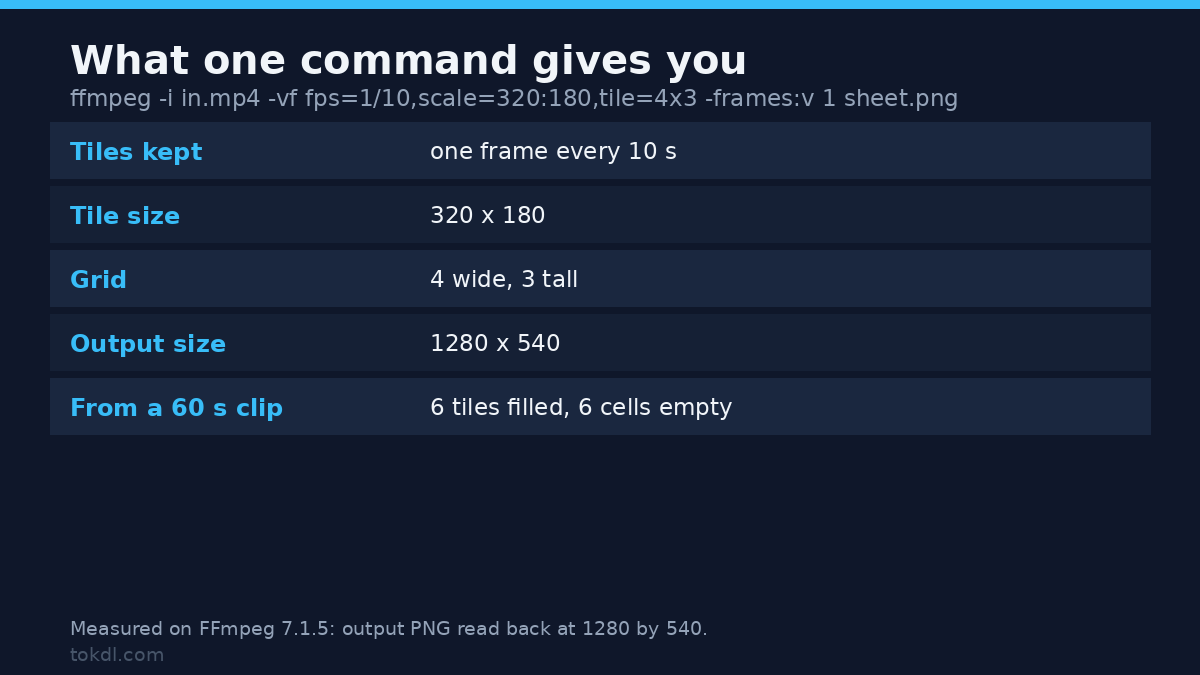
ffmpeg -i input.mp4 -vf "fps=1/10,scale=320:180,tile=4x3" -frames:v 1 sheet.pngRead it right to left. The fps filter keeps one frame every ten seconds and drops the other twenty nine. scale shrinks each kept frame to 320 by 180. The tile filter packs them into a 4 by 3 grid, and -frames:v 1 stops the output after the first completed sheet.
On a sixty second clip that produced a single 1280 by 540 PNG with six tiles filled and six left black. Four times 320 is 1280, three times 180 is 540, and sixty seconds at one frame per ten yields six frames. The empty half isn’t an error. It’s the filter waiting for frames that never arrive, then flushing what it has at the end.
Both filters are in the FFmpeg filter reference. If you’d rather keep separate files first, the everyday FFmpeg command list covers that, and the reverse direction is worth knowing, since numbered stills and a contact sheet are two views of one dataset.
The grid maths
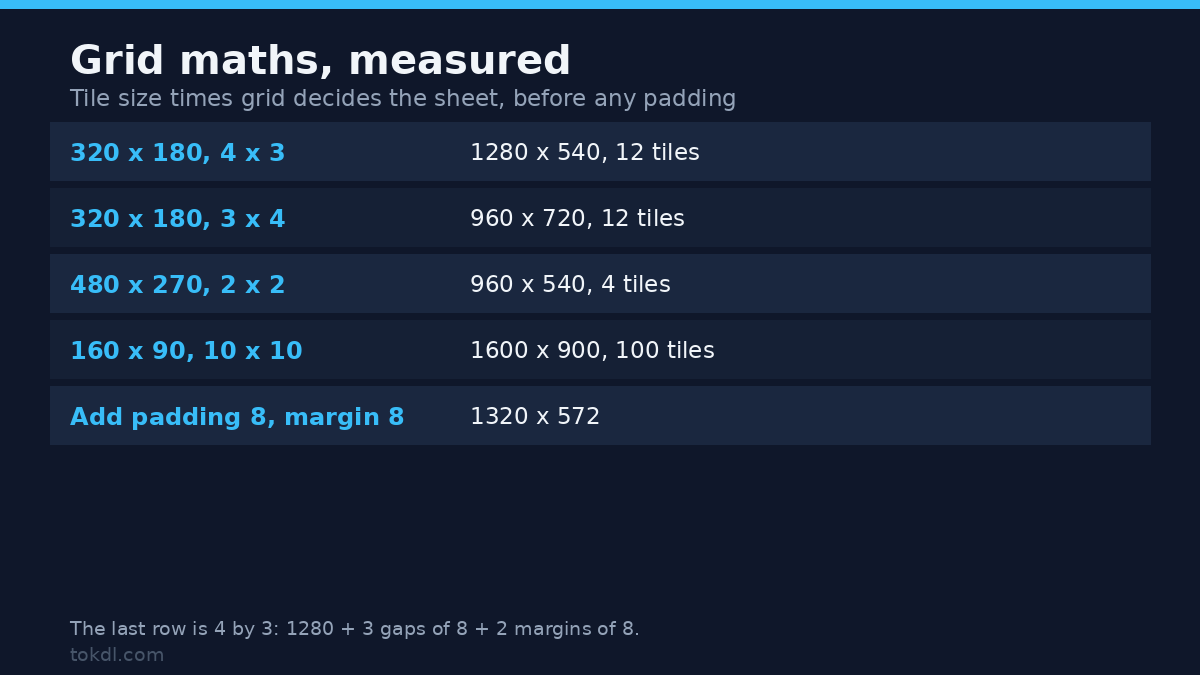
The size of a contact sheet comes from three numbers: tile width, tile height, and the grid. Getting it wrong is the usual reason a sheet arrives at a size your slide deck can’t use.
| Tile size | Grid | Output size | Tiles |
|---|---|---|---|
| 320 x 180 | 4 x 3 | 1280 x 540 | 12 |
| 320 x 180 | 3 x 4 | 960 x 720 | 12 |
| 480 x 270 | 2 x 2 | 960 x 540 | 4 |
| 320 x 180 | 6 x 5 | 1920 x 900 | 30 |
| 160 x 90 | 10 x 10 | 1600 x 900 | 100 |
Every pair came out exactly as the multiplication predicts. Tiles fill left to right, then top to bottom, in the order frames arrive.
Padding and margin add two terms, and that formula is the part people guess at. For a 4 by 3 grid of 320 by 180 tiles with padding=8 and margin=8, the contact sheet measured 1320 by 572. Width is four tiles plus three gaps plus two margins: 1280 + 24 + 16. Height is three tiles plus two gaps plus two margins: 540 + 16 + 16.
ffmpeg -i input.mp4 -vf "fps=1/10,scale=320:180,tile=4x3:padding=8:margin=8:color=white" -frames:v 1 sheet.pngThe color option does double duty. It paints the margin, and it fills any tile the filter never received, which makes white padding a useful signal: a white square means no frame landed there. Without it those cells are black, and on a dark video an empty tile looks like a night shot.
How many tiles you get
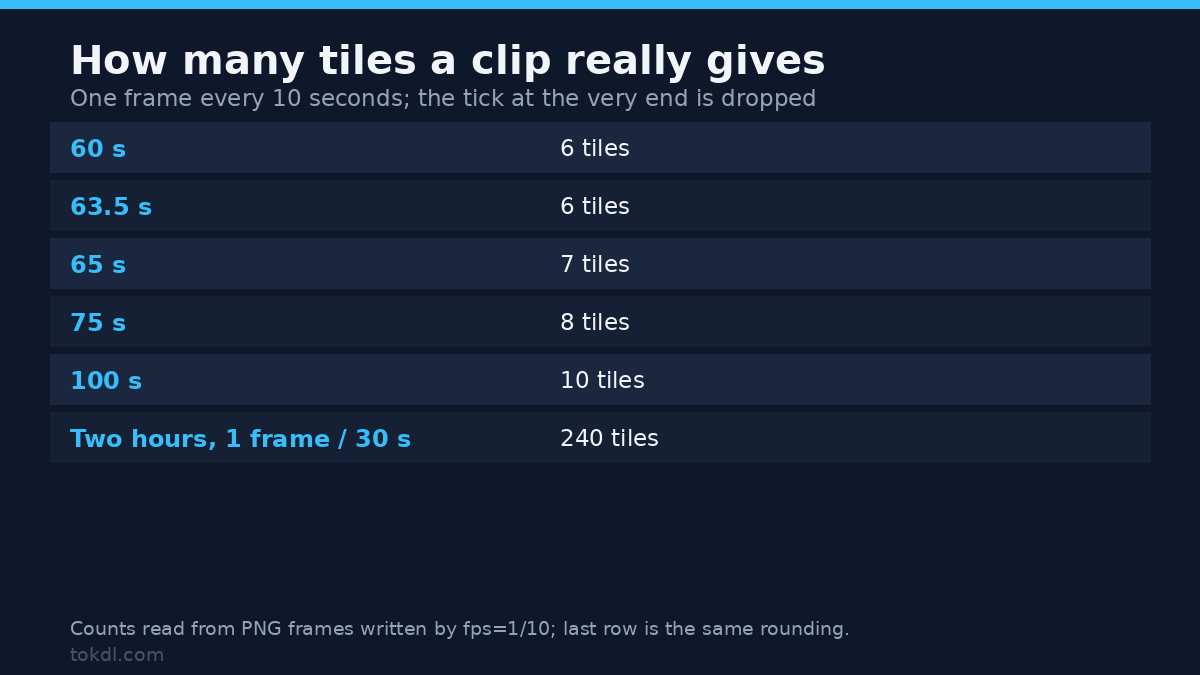
Here’s the rule that surprises people. Frames emitted isn’t duration divided by interval rounded up, and it isn’t that plus one. A tick landing on the end of the file gets dropped, so a sixty second clip at one frame per ten seconds gives six tiles, not seven.
| Duration | Tiles at 1 frame per 10 s |
|---|---|
| 60 s | 6 |
| 63.5 s | 6 |
| 65 s | 7 |
| 70 s | 7 |
| 75 s | 8 |
| 100 s | 10 |
| 101 s | 10 |
That matches rounding to the nearest whole number of intervals, with a half rounding up. It’s why 75 seconds gives eight and 70 gives seven, and why a two hour film at one frame per thirty seconds gives 240 tiles rather than 241. Plan the grid against that number.
Two ways to choose the frames
Time-based sampling is the default and usually the right call, because a contact sheet should show equal spans of time. Frame-number sampling is the alternative, and it’s exact in a different way.
ffmpeg -i input.mp4 -vf "select='not(mod(n,300))',scale=320:180,tile=4x3" -frames:v 1 sheet.pngThat keeps every three hundredth frame. At 30 fps it’s the same ten second step, and on my sixty second fixture both approaches produced byte identical sheets of 5,834 bytes, with tiles in the same order. The difference shows on variable frame rate footage, where frame numbers don’t map onto seconds: select samples by count, while fps resamples to the rate you asked for. The fps filter documentation covers the rounding options.
Whichever you pick, the sampling filter comes before tile. Put it after and the grid has already packed every frame, so you get a contact sheet of near-identical neighbours and a slow run.
When one contact sheet isn’t enough
Sixty tiles don’t fit a twelve tile grid, so the filter keeps emitting sheets as it fills them. One frame per second over a minute produced five PNGs, each holding twelve consecutive seconds: the first covers seconds 0 to 11, the second 12 to 23, and the fifth ends at 59.
ffmpeg -i input.mp4 -vf "fps=1,scale=320:180,tile=4x3" sheet_%03d.pngThe %03d isn’t optional. Drop it and FFmpeg writes the first sheet, then stops with exit code 234 and this message:
[image2] Cannot write more than one file with the same name. Are you missing the -update option or a sequence pattern?The file on disk is 3,864 bytes and holds only the first twelve frames. The same command with -frames:v 1 gives that one sheet on purpose, which is fine. Run it with neither and you lose four sheets to a message that scrolls past.
For a fixed count per sheet rather than the grid size, tile=4x3:nb_frames=12 states it. On the same clip that produced five sheets at the same byte size, so it’s documentation rather than a fix.
Making the contact sheet readable
Tile size against grid size. A 4 by 3 grid at 320 by 180 is readable on a laptop. The same twelve tiles at 160 by 90 fit in 640 by 360, fine as an index and useless for judging a face. Decide whether the sheet is for finding a moment or evaluating it.
Empty cells. Set color whenever the tile count won’t fill the grid. I measured luma 0 for an unfilled cell and luma 51 for color=0x333333, enough separation to read as a deliberate gap.
Aspect ratio. Scale to the source’s shape, not a guess. A 4:3 source squashed into 320 by 180 gives tiles that lie about the framing, and framing is half the information on a contact sheet.
Even dimensions are a non-issue here. Still formats have no such rule, and tiles scaled to 321 by 181 produced a 1284 by 543 contact sheet with exit code 0, in PNG (5,845 bytes) and JPEG (12,039 bytes). That rule only bites when you encode the sheet into a video, which you probably don’t need.
Sprites for player scrubbing
ffmpeg -i input.mp4 -vf "fps=1,scale=160:90,tile=10x10" -frames:v 1 sprite.pngA sprite sheet is a contact sheet built for a machine rather than for you. The player shows one tile at a time by cropping with CSS, so tiles need to be small, uniform and predictable. A hundred seconds at one frame per second gives exactly a hundred tiles, and that contact sheet measured 1600 by 900. Tile i sits at column i mod 10 and row i div 10, so the offset is that column times 160 across and that row times 90 down.
File size matters, because a sprite ships to every visitor. On photographic test content one grid measured like this:
| Output | Bytes | Note |
|---|---|---|
| 12 tile sheet, PNG | 91,398 | lossless, sharp text |
| 12 tile sheet, JPEG q3 | 54,250 | no visible loss at tile size |
| 12 tile sheet, JPEG q7 | 36,385 | fine for scrubbing only |
| 30 tile sprite, PNG | 425,154 | large, but exact |
| 30 tile sprite, JPEG q3 | 240,227 | the usual web choice |
Re-encoding a finished contact sheet as video doesn’t help. The 91 KB PNG became a 21 KB H.264 file at CRF 20, which looks like a win until you notice it’s a still in a container browsers won’t crop. Use JPEG when you need smaller, and keep PNG when the sheet carries text or fine edges.
If the tiles are platform thumbnails rather than review aids, the size and safe-area rules need their own treatment, which is what the thumbnail design guide covers.
Mistakes that waste a render
- Assuming a round number of tiles. Sixty seconds at one frame per ten is six tiles, not seven.
- Writing five sheets to one filename. The muxer refuses after the first, exits 234, and leaves twelve frames instead of sixty.
- Forgetting
-frames:v 1. You get every sheet the clip can fill, which is rarely the point. - Sampling after tiling. The grid fills with consecutive near-identical frames and the run takes far longer.
- Judging a contact sheet by file size. On flat synthetic content PNG beat JPEG outright; on photographic content the order reverses.
- Trusting the tile count to match the frame count. An unfilled cell is silent, so set
colorand look.
Quick answers
Can I label each tile with its timestamp?
Not with tile alone, since the filter packs frames and nothing else. Burn the timecode into each frame using drawtext with a timestamp expansion, then tile the result. Keep the text size relative to the tile or it’ll be unreadable.
Does a contact sheet preserve colour?
It preserves what FFmpeg decodes, which is usually right. A full-range source rendered into a limited-range sheet shifts the shadows. If the sheet is for colour judgement rather than navigation, check one extracted frame against your player.
What about long files?
A two hour film at one frame per thirty seconds gives 240 tiles, which is twenty sheets of twelve or one 16 by 15 grid at 160 by 90. The second option is one file to open and one to ship.
Can I build a contact sheet without FFmpeg?
Yes, and most editors show a storyboard view. The trade is control: the command line states interval, tile size and grid exactly, and runs across a folder without you opening anything.
Where to go next
Build one contact sheet from a file you already have before you tune anything. Use the 4 by 3 default, look at what comes out, and adjust the interval until the grid tells the story of the clip. That pass settles the tile size question better than any table.
Then keep the command where you’ll find it. The settings that matter are the interval and the grid, and both are one number away from a contact sheet that answers a different question. A sheet is cheap to rebuild, so three versions cost less than one bad cut.