
Multiple Audio Tracks in One Video: How to Add, Switch and Set the Default
Your export has multiple audio tracks, and your player only ever plays one of them. Worse, it’s usually the one you didn’t want. That isn’t a bug in the player. The file never told it which track to prefer, so it guessed, and it guessed wrong.
Adding multiple audio tracks solves a real problem. You want one file with a voice-over version and a music-only version, or a bilingual release that carries English and Spanish inside the same container. Folding those into one stereo stream throws that choice away. Keeping them apart means whoever opens the file can pick the one they need.
This guide covers multiple audio tracks in an MP4 or MKV: how to see what a file already holds, how to add tracks with FFmpeg, and how to mark the right one as the default so players stop guessing. Every number and command below was measured on FFmpeg 7.1.5 while writing this post.
What you’ll learn
- How to list every audio track a file contains
- Why one small flag can silently drop tracks you meant to keep
- How to add multiple audio tracks with a single FFmpeg command
- How to set the default track so the right audio plays first
- Which container to pick for a multi-track file
What multiple audio tracks mean inside a file
A video file isn’t one stream. It’s a container holding several: normally one video stream plus one or more audio streams. When I say multiple audio tracks, I mean more than one audio stream sitting side by side in that container, each with its own codec, channel count and metadata.
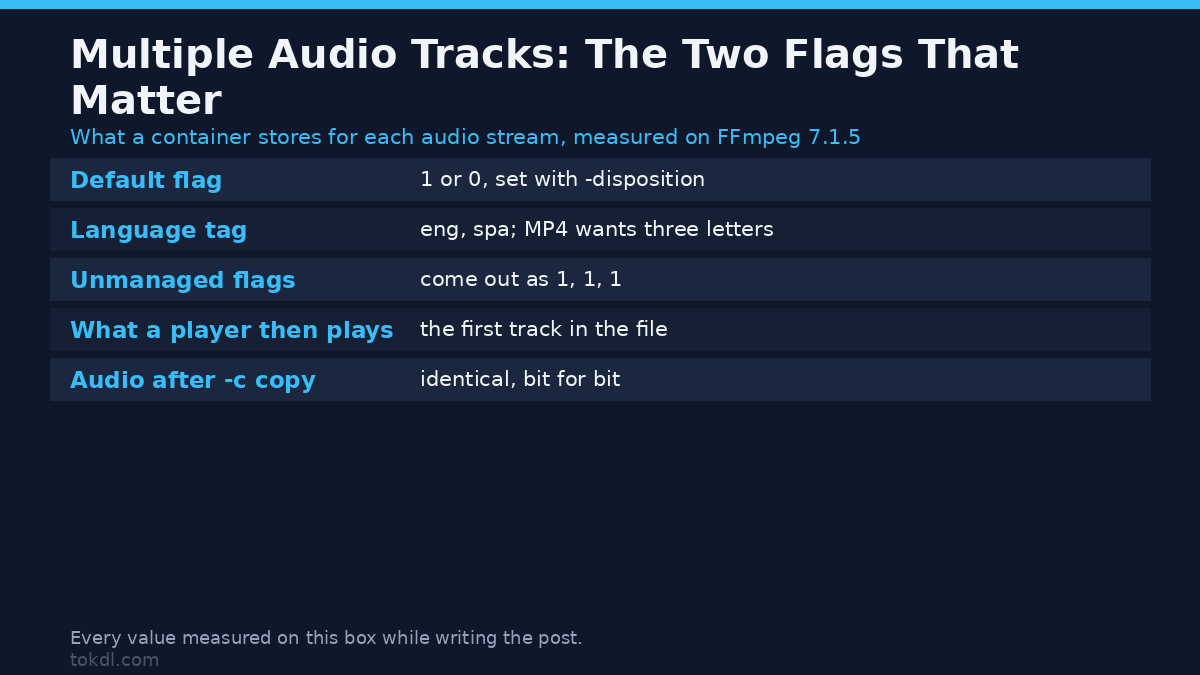
Two fields decide how those tracks behave:
- The default flag. A per-stream marker that tells the player which track to start with. A track has it or it doesn’t.
- The language tag. A short label such as eng or spa that players and editors show in the track menu.
Get those two wrong and you get the complaint every editor knows: only one of the audio tracks plays, and it’s the wrong one.
Step 1: check how many audio tracks a file has
Before adding multiple audio tracks, look at what the file already holds. One ffprobe command prints every stream with its codec, channel count, language and default flag:
ffprobe -v error -show_entries stream=index,codec_type,codec_name,channels:stream_tags=language:stream_disposition=default -of json input.mp4Read the stream list that comes back. Every audio entry carries a codec_name such as aac, a channels count, a language tag and a disposition block where “default” is either 1 or 0. If you expected two tracks and the output lists one, the second track was never written. A file that should hold multiple audio tracks but reports one stream is the usual starting point for this whole problem.
Step 2: add multiple audio tracks with FFmpeg
The short version is one command. Feed FFmpeg every source you want to combine and tell it which streams to keep with -map:
ffmpeg -i video.mp4 -i english.m4a -i spanish.m4a
  -map 0:v -map 1:a -map 2:a -c copy
  -metadata:s:a:0 language=eng -metadata:s:a:1 language=spa
  -disposition:a:0 default -disposition:a:1 0
  output.mp4
The -map flags are the part that matters. -map 0:v takes the video from the first input, -map 1:a takes the audio from the second input, and -map 2:a takes the audio from the third. Leave them out and FFmpeg runs its own stream selection, which keeps one stream of each type and drops the rest. That’s how a file ends up with fewer audio tracks than you asked for. The FFmpeg manual writes the rule out in full if you want it.
The trap: no -map keeps one audio track, not all of them
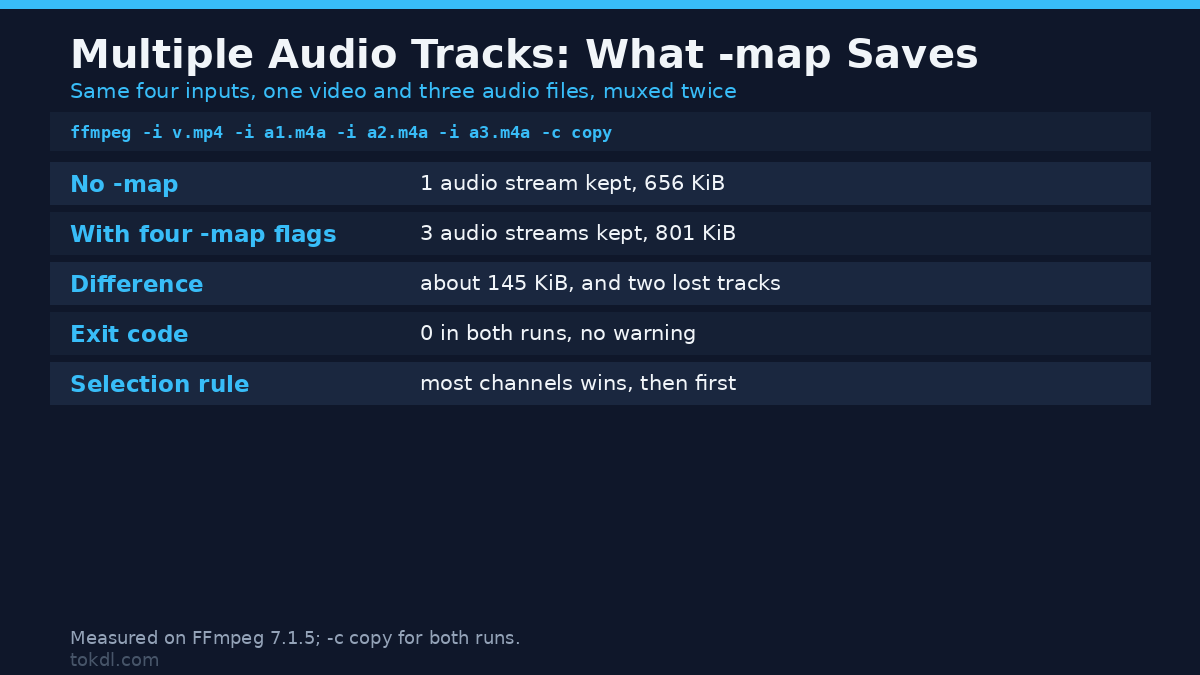
Here’s the measurement that surprises people. I pushed the same four inputs, one video and three audio files, through FFmpeg twice and changed nothing but the -map flags:
| Run | Command | Video streams | Audio streams kept | Output size |
|---|---|---|---|---|
| A | ffmpeg -i v.mp4 -i a1.m4a -i a2.m4a -i a3.m4a -c copy | 1 | 1 | 656 KiB |
| B | ffmpeg -i v.mp4 -i a1.m4a -i a2.m4a -i a3.m4a -map 0:v -map 1:a -map 2:a -map 3:a -c copy | 1 | 3 | 801 KiB |
Run A finished with exit code 0 and no warning. It still wrote a file with a single audio track. The other two are not in the output at all, and the only trace is a file about 145 KiB smaller. Run B, with the four -map flags, kept all three.
FFmpeg’s default stream selection keeps one stream per type, as the stream selection notes spell out. For audio it picks the track with the most channels, and if two tracks tie on channel count it takes the one that comes first. I tested that rule from the other side as well. With a mono file first and a stereo file second, and no -map, the output kept the stereo track, not the first one. So the rule isn’t “first input wins”. It’s channel count first, position only as a tie-breaker.
Why the wrong track plays once the file exists
Now the second trap. Build a file with three audio streams and don’t manage their flags, and every one of them gets marked default. I measured this in MP4 and again in MKV, and both containers came back with the flags 1, 1, 1.
| Mux command | Default flag on the three audio tracks | Result |
|---|---|---|
| No -disposition flags | 1, 1, 1 | ambiguous, so players fall back to the first track |
| -disposition:a:0 default -disposition:a:1 0 -disposition:a:2 0 | 1, 0, 0 | the marked track is the one that plays |
Three tracks all claiming to be the default is a file that never answers the question. Most players resolve that tie by playing the first track, which is why people add multiple audio tracks and then hear the wrong language. The fix is to set the flag on purpose.
Step 3: set the default audio track and label the languages
Once a file holds multiple audio tracks, the next job is telling the player which one to start with. -disposition controls the default flag. Passing default marks a track; passing 0 clears it. Here the second track, the Spanish one, is the one that should play first:
ffmpeg -i video.mp4 -i english.m4a -i spanish.m4a
  -map 0:v -map 1:a -map 2:a -c copy
  -metadata:s:a:0 language=eng -metadata:s:a:1 language=spa
  -disposition:a:0 0 -disposition:a:1 default
  bilingual.mp4
I probed the file straight after. Track one came back with language=eng and default=0; track two came back with language=spa and default=1. The swap landed in the container and neither stream was touched.
Re-muxing doesn’t damage the audio
-c copy means FFmpeg moves the streams instead of decoding and rebuilding them. I checked that claim the hard way. I extracted the first audio track from the original file and again from the muxed file, then compared MD5 hashes. Both came back as ee25aee379a4ae03db29f0e7bbbc34e8. Bit for bit identical. Adding multiple audio tracks costs you a file copy, not a generation of quality.
Which container handles multiple audio tracks best?
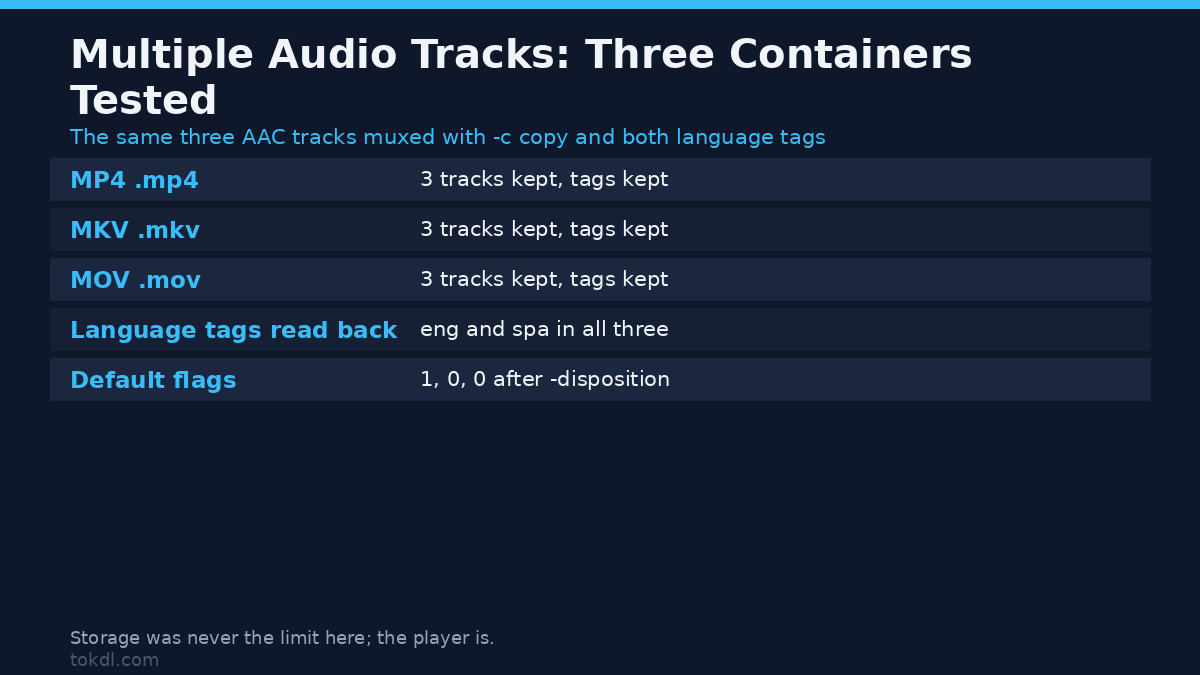
I muxed the same three audio tracks into three containers with -c copy and both language tags. Here’s how they compare for multiple audio tracks:
| Container | Three audio tracks | Language tags | When to pick it |
|---|---|---|---|
| MP4 (.mp4) | Yes | Yes | Phones, Apple software, most platforms |
| MKV (.mkv) | Yes | Yes | Archive masters and files with many tracks; some Apple apps won’t open it |
| MOV (.mov) | Yes | Yes | Apple editing workflows |
All three held the tracks and the tags. Storage isn’t the problem when a file needs multiple audio tracks; playback is. MP4 has the widest support on phones and TVs, MKV is the most tolerant of odd codecs and many tracks, and MOV fits Apple toolchains. If you’re unsure, MP4 is the safe hand-off format. For the codec side of the same decision, the comparison between AAC, Opus and MP3 is the next thing to read.
Switch the track you hear without touching the file
Switching tracks in a player changes nothing in the file. VLC, MPV, most smart-TV players and many mobile players expose an Audio track menu, and that menu reads the multiple audio tracks you just muxed. If the file has sane default flags, the player starts on the right one and the menu handles the rest.
Two other jobs come up often. To pull one track out into its own file:
ffmpeg -i bilingual.mp4 -map 0:a:1 -c copy spanish-only.m4a-map 0:a:1 means “the second audio stream, copy it as is”. To reorder tracks so a different one sits first, change the order of the -map flags. I mapped the second audio file before the first one and the output stream order followed, with the newly first track sitting at index 1. The order you name the tracks is the order they’re written.
Common mistakes
Most problems with multiple audio tracks come down to five habits.
- Dropping -map. Without it you get one audio stream, not several, and FFmpeg won’t complain.
- Leaving every track default. Unmanaged flags come out as 1, 1, 1, and the player picks the first track.
- Expecting -c copy to change the audio. It doesn’t. That’s the point, and the MD5 check proves it.
- Tagging languages in the wrong form. MP4 and MOV expect the three-letter code, so write eng and spa, not en and es.
- Assuming the container is the limit. MP4, MKV and MOV all held three tracks in my tests. The limit is usually the player.
FAQ
How many audio tracks can one video hold?
A file with multiple audio tracks is normal these days, and I tested three in MP4, MKV and MOV with all three containers keeping them. Matroska supports far more than most people will ever need. The practical ceiling is how many tracks your player or editor will show you, not the file.
Do I have to re-encode to add a second audio track?
No. Adding multiple audio tracks doesn’t force a rebuild. With -c copy the existing streams are moved, not rebuilt, so the audio stays byte-identical and the job takes seconds. Re-encode only if you’re changing the codec or the channel layout.
Why does my TV only play one language?
Either the file has one track, or the default flag points at the first track and the TV ignores the rest. Set the default flag with -disposition and label each track with a language tag, and the menu has something to show.
Does muxing a second track make the file much bigger?
It grows by about the size of the audio you add. In my test, one audio track came out at 656 KiB and three tracks at 801 KiB, so the two extra tracks cost roughly 145 KiB on a six-second clip.
The short version
Multiple audio tracks live inside the container as separate streams, and two fields decide what happens: the default flag and the language tag. Use -map to keep every track you want, -disposition to mark the one that should play first, and language tags so people can find the right one. Re-mux with -c copy and the audio stays bit-identical.
With the multiple audio tracks flagged and labelled, there’s one last thing worth checking: loudness. If those tracks need matching levels before you ship them, normalizing the audio is the next step. If you’re still weighing containers as well as tracks, the MP4, MKV and MOV differences cover the storage side, and pulling one track out for a podcast feed is covered in extracting audio from video.