
Audio Channels Swapped: The Easy, Proven Way to Fix It
A string quartet on the left, the officiant’s voice on the right. That’s what a client sent me last month after a two-camera wedding edit: the two audio channels in the exported file had been written in the wrong order. The mix was fine. Every pan and level was correct, and the file carried the left microphone’s samples in the right channel and the right microphone’s in the left.
Swapped audio channels are nasty because nothing looks broken. Waveforms look normal, levels look normal, and a laptop speaker smears both sides together, so the problem sounds like something vaguely off, but nothing you can point at. Then someone puts on headphones and the mix falls apart.
I tested the usual advice on FFmpeg 7.1.5 and found half of it does nothing. A stream copy preserves the swap perfectly, and the standard swap filter on the wrong file can leave a recording one-sided or drop four of six channels without an error. Here’s the test and the fix.
What you’ll learn
- How to prove which audio channels are swapped, with a tone and a level reading
- Why a copy remux can’t fix a swap, and why a mono sum makes it unfixable
What audio channels actually store
A stereo stream is two arrays of samples, one per frame, and the container’s channel layout tag says which array is which. In FFmpeg’s naming that’s FL and FR. For 5.1 the order is FL FR FC LFE BL BR: front left, front right, centre, low frequency, back left, back right. Get that order wrong and a mix still plays, but the dialogue leaves the centre speaker and the room tone lands somewhere it shouldn’t.
Count and order are separate things. A file can hold two audio channels in the wrong order, or six audio channels with two of them transposed. Fixing the count never fixes the order, and fixing the order never changes the count. The track layer sits above both, which is why a file with several audio tracks needs the default-track handling described in multiple audio tracks in one video.
The layout tag is less reliable than people assume. On this build, a two-channel WAV written from a source with no layout set probes as channel_layout=unknown, while the same audio in AAC probes as channel_layout=stereo. A two-channel WAV is still left then right by convention, so the tag can’t tell you: measure.
Test your audio channels for a swap
Don’t judge by ear and don’t trust a spectrogram thumbnail. Build a file where each side carries a tone the other doesn’t have, play it through the same path as the problem file, and read the numbers.
Step one makes the test file: six seconds, 48 kHz, 440 Hz left, 880 Hz right, both at half amplitude:
ffmpeg -hide_banner -y -f lavfi -i "aevalsrc=0.5*sin(2*PI*440*t)|0.5*sin(2*PI*880*t):s=48000:d=6" -c:a pcm_s16le lr_test.wavStep two isolates one channel, keeps a narrow band around one tone, and reports the average level. Run it once per channel per tone:
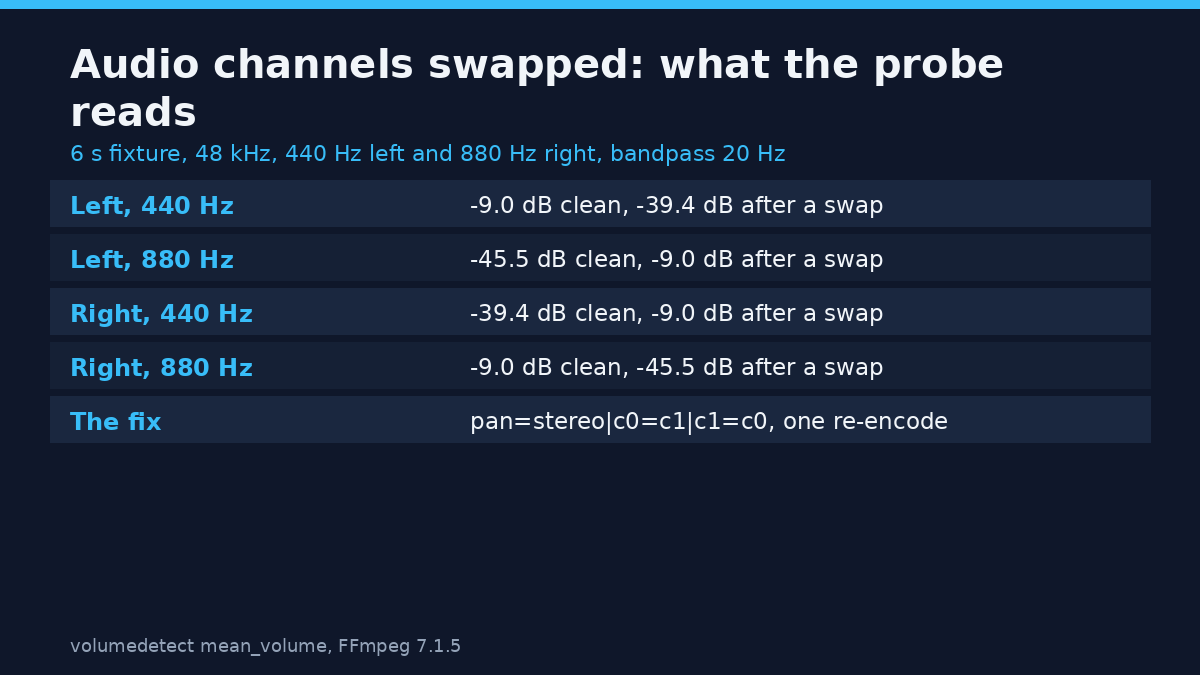
ffmpeg -hide_banner -i lr_test.wav -af "pan=mono|c0=c0,bandpass=f=440:width_type=h:w=20,volumedetect" -f null - 2>&1 | grep mean_volumepan=mono|c0=c0 narrows the stream to channel 0, so everything downstream measures that side alone. The bandpass keeps a 20 Hz window around the tone, and volumedetect prints the RMS level. A clean file reads like this:
| Channel probed | 440 Hz tone | 880 Hz tone |
|---|---|---|
| Left (c0) | -9.0 dB | -45.5 dB |
| Right (c1) | -39.4 dB | -9.0 dB |
Each tone reads -9.0 dB on its own side, the RMS of a 0.5-amplitude sine. The -39 to -45 dB readings opposite are bandpass skirts, not content: a 20 Hz-wide filter isn’t a brick wall. The same two audio channels, swapped, read the other way round: 440 Hz at -39.4 dB on the left and 880 Hz at -9.0 dB on the right.
On a real recording, use per-channel statistics instead:
ffmpeg -hide_banner -i take.wav -af "astats=metadata=0:reset=0" -f null - 2>&1 | grep -E "Channel:|RMS level"I ran that on a file with a dead right channel: channel 2 printed peak and RMS as -inf, while the overall summary read -12.04 dB against -9.03 dB on channel 1. A file that plays with no sound at all is a different fault, and the silent-track check covers it.
One rule carried the whole test: probe every channel against every tone. On a 5.1 file I checked each channel only at its own frequency and concluded a swap had failed, because the tone was missing from where it started. It had moved into another channel, and I never looked there.
Fix a stereo swap with pan
Once the readings are mirrored, the fix is one filter. Here’s the command that worked, run against a 192 kbps AAC copy:
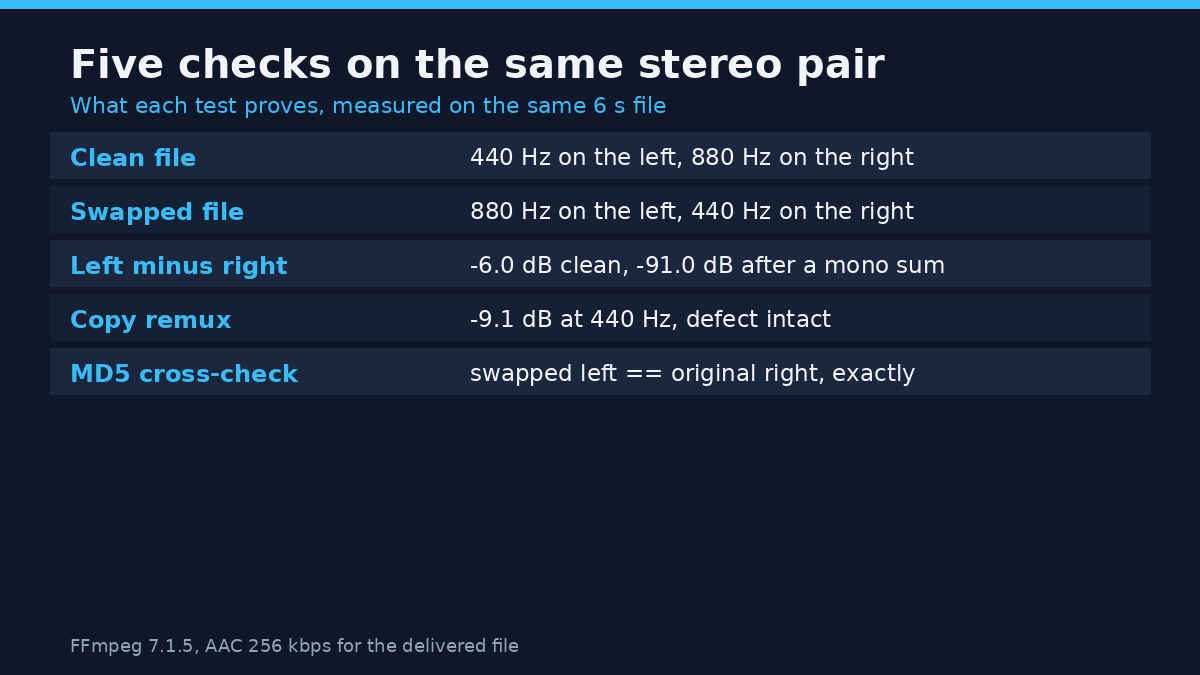
ffmpeg -hide_banner -y -i lr_test.m4a -af "pan=stereo|c0=c1|c1=c0" -c:a aac -b:a 256k lr_fixed.m4ac0=c1 says the output’s left channel comes from the input’s right, and c1=c0 says the reverse. The channel selection is exact: written to PCM, each channel’s MD5 crosses over, the original right (b9a3b2795115116a) landing as the swapped file’s left and the original left (75e80700bd0ed245) as its right.
Two things matter more than the filter. First, the output has to be re-encoded: a stream copy can’t reorder samples inside a bitstream, and a -c copy remux of the AAC still read -9.1 dB at 440 Hz on the left. Second, you can’t ask for both. Running the pan filter next to -c:a copy exits with code 218 and Filtergraph 'pan=stereo|c0=c1|c1=c0' was specified, but codec copy was selected. Filtering and streamcopy cannot be used together.
The cost is one lossy generation: at 256 kbps the fixed file measured -9.1 dB against -9.0 dB. From WAV or FLAC, write PCM or FLAC and the swap costs nothing.
When the audio channels aren’t just left and right
Surround files and multi-mic recordings need a map, not a swap, because the channels you want to trade are named FC or BL rather than channel numbers. channelmap takes pairs, and you list every output channel:
ffmpeg -hide_banner -y -i surround.mkv -af "channelmap=map=FR-FL|FL-FR|FC-FC|LFE-LFE|BL-BL|BR-BR:channel_layout=5.1" -c:a aac -b:a 320k out.mp4I built a 5.1 fixture, one tone per position (300 Hz front left, 500 front right, 700 centre, 80 LFE, 900 back left, 1100 back right), and cross-probed all six audio channels. The command above left the front left playing 500 Hz and the front right playing 300 Hz, with the centre, LFE and surrounds untouched. The named form gives the same result: pan=5.1|FL=FR|FR=FL|FC=FC|LFE=LFE|BL=BL|BR=BR.
A partial map fails loudly. Asking for channelmap=map=FL-FR alone exits with code 234 and Output channel layout stereo does not match the number of channels mapped 1. Every output channel needs an entry, even the ones that don’t move. The layout names and the pair syntax are in FFmpeg’s filter documentation.
The same cross-probe confirms a centre swap. Mapping FL and FC to each other moved the 700 Hz tone into the front left and the 300 Hz tone into the centre, so dialogue that should sit in the middle now sits hard left.
Fixes that fail, and the one that can’t exist
The first is the copy remux: no error, no change, swapped audio channels intact.
The second is the right filter on the wrong file. Run a stereo swap of the audio channels on a mono source and FFmpeg exits 0, then hands you a file whose left channel measures -91 dB (silence) and whose right channel carries the mono mix at -15.1 dB. Run it on a 5.1 source and it keeps only the front pair, at exit code 0, dropping the centre, the LFE and both surrounds. Check channels and channel_layout before you pick a command.
The third case has no fix. If someone already summed the audio channels to mono, the difference is averaged away and no map restores it. On the test file, the left-minus-right difference read -6.0 dB while the file was stereo and -91.0 dB after a 50/50 sum, an 85 dB loss no filter reverses. Both channels then carry both tones at -15.1 dB, identically. A deliberate stereo to mono downmix is a choice; this was one made by accident.
Swapping isn’t downmixing
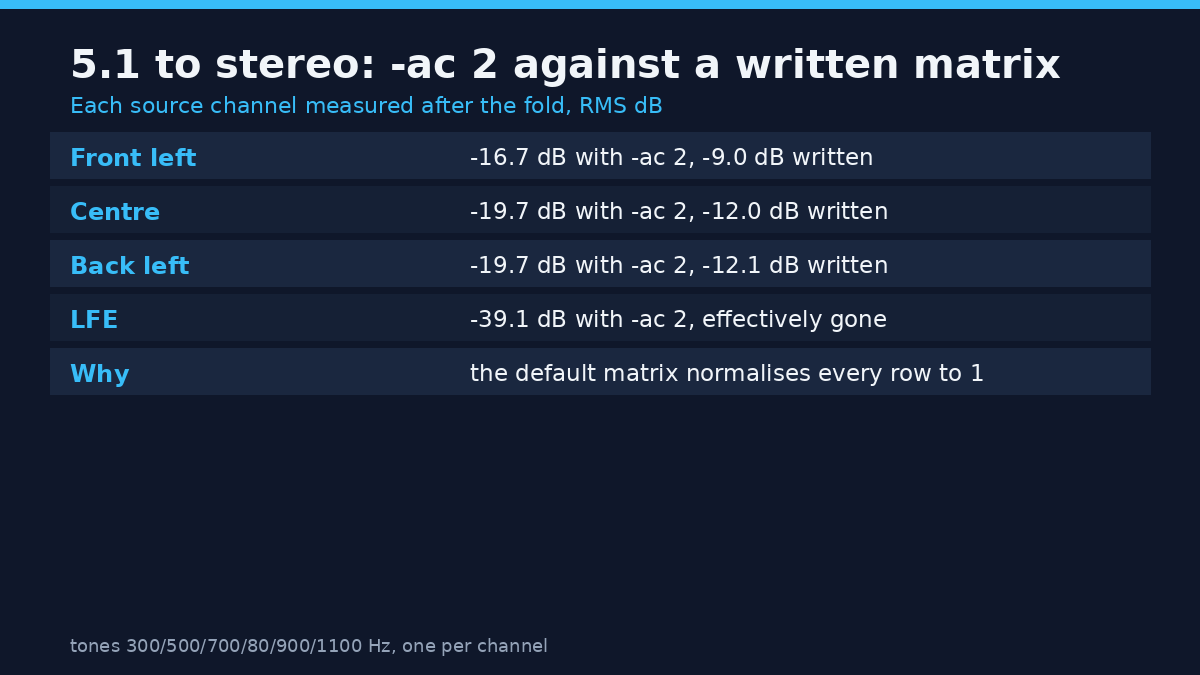
Half the messages I get about wrong channels are about a surround file folded to stereo, where the default downmix is why the result sounds wrong.
| Source (tone) | -ac 2 in L | -ac 2 in R | Explicit pan in L | Explicit pan in R |
|---|---|---|---|---|
| FL (300 Hz) | -16.7 dB | -40.0 dB | -9.0 dB | -32.4 dB |
| FR (500 Hz) | -41.1 dB | -16.7 dB | -33.5 dB | -9.1 dB |
| FC (700 Hz) | -19.7 dB | -19.7 dB | -12.0 dB | -12.1 dB |
| LFE (80 Hz) | -39.1 dB | -43.1 dB | -31.4 dB | -35.5 dB |
| BL (900 Hz) | -19.7 dB | -42.3 dB | -12.1 dB | -34.6 dB |
| BR (1100 Hz) | -45.8 dB | -19.7 dB | -38.2 dB | -12.1 dB |
The default -ac 2 puts every front and surround channel 7.7 to 10.7 dB down and effectively removes the LFE, because its matrix normalises each row to a sum of one. A hand-written matrix keeps the front channels at full level and the centre 3 dB down:
ffmpeg -hide_banner -y -i surround.mkv -af "pan=stereo|c0=FL+0.707*FC+0.707*BL|c1=FR+0.707*FC+0.707*BR" -c:a aac -b:a 320k stereo.mp4That’s a downmix decision, not an order repair: fix the order of the audio channels first. The full procedure is in surround sound to stereo.
Common mistakes
- Swapping by ear on a mono music bed. If both audio channels carry the same content, there’s nothing to swap, and a filter that claims to fix it only shifts the level.
- Trusting the peak level for the order. On the AAC encode the channels peaked at -4.29 and -5.49 dB while their RMS levels matched at -9.04 dB. Peaks moved, order didn’t.
- Using a partial channelmap. Exit 234 is the good outcome; the bad one drops a source you meant to keep.
FAQ
How do I know which side is which on a real recording?
Play a file you trust through the same path first. If a known-good file reads correctly and your project reads mirrored, the file is swapped. If both read mirrored, the fix belongs in the player’s settings.
Does swapping audio channels cost quality?
Only the re-encode does, and a swap can’t happen without one. At 256 kbps the measured drift was 0.1 dB; from a WAV or FLAC source, write PCM or FLAC and lose nothing.
My phone recording has the voice on one side. Is that a swap?
Probably not. One silent side usually means a mono track in a stereo container, or a microphone that fed one input. Check channels with ffprobe: identical audio channels can’t be swapped, and a silent side needs a mono repair.
Will swapping fix audio that sounds hollow or phasey?
No. A swap moves whole audio channels; a hollow sound comes from summing correlated content, which needs a different fix. Swapping a phase-cancelled mix just moves the cancellation to the other side, and widening a stereo image is the tool for the opposite problem, not this one.
The short version
Build a two-tone file, probe each channel at each frequency, and read the numbers before you touch the project. If the readings are mirrored, pan=stereo|c0=c1|c1=c0 fixes it exactly, at the cost of one re-encode. On files with more than two audio channels, map every output channel by name and cross-probe the result. And if the sides were already summed to mono, stop: the difference you wanted to swap is gone.