
Subtitle Sync: The Proven, Easy Way to Fix Late Captions
Short answer: if the captions are late by the same amount all the way through, shift every cue with one -itsoffset value. If they start close and get worse, the file was timed for a different frame rate, and you have to rescale the timestamps by 0.95904 (or 1.04271, depending on the direction).
Half an hour into a film, the captions slip behind the dialogue. Ten minutes later they’re a sentence late, and near the end they’re describing something you watched two minutes ago. That’s the subtitle sync problem, and it rarely means the file is junk. I’ve repaired this on my own library more times than I can count, and it always comes down to two causes: a constant offset, or a rate mismatch that grows with every minute. Which one you’re looking at decides which fix works, so the first job is telling them apart. What you’ll learn: measuring the real offset, shifting a constant delay, rescaling for a frame-rate mismatch, and the timestamp traps that turn a good repair into a broken file.
Every number below comes from tests I ran on this machine with FFmpeg 7.1.5, so you can repeat them.
Subtitle sync has two failure modes
A constant offset looks like this: the captions are late by three seconds at the opening titles and still late by three seconds at the credits. Nothing accumulates. It’s the easy one, and the most common when a subtitle file was timed against a slightly different print, an extra logo, or a longer recap.
A rate mismatch feels different. The first line lands well enough, then the gap widens. By minute ten the captions are a few seconds behind, and by the end they’re minutes behind. The error is proportional to the timecode, which is the fingerprint of two frame rates.
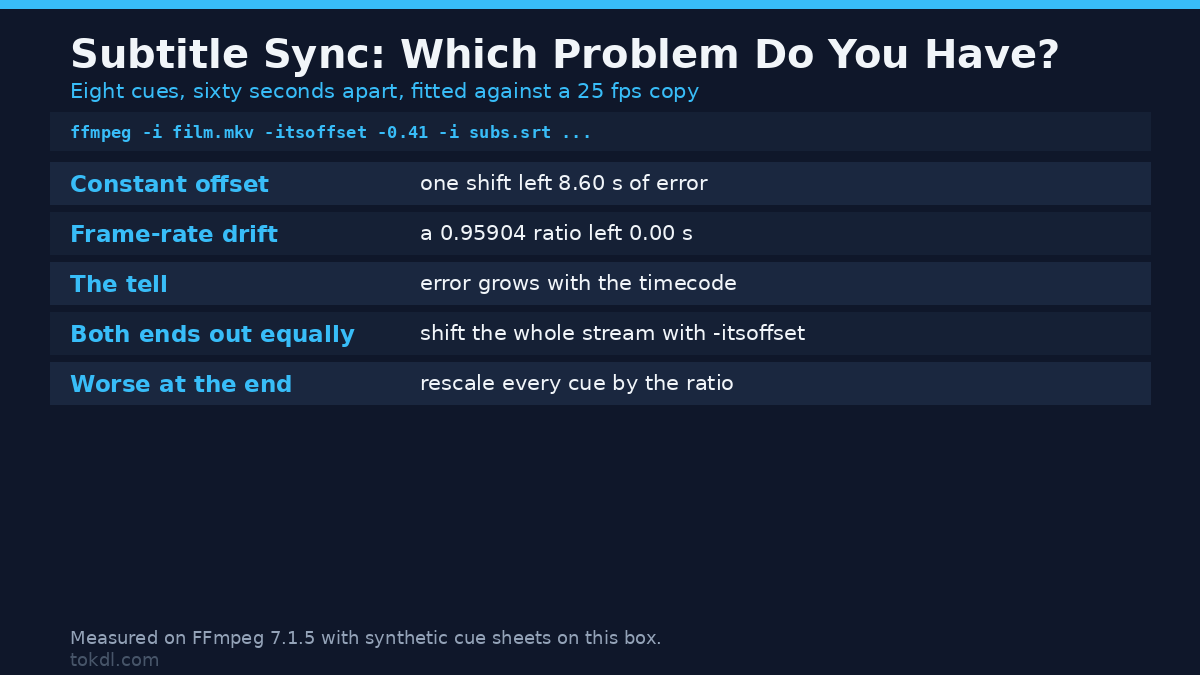
Here’s the difference in numbers. I built a subtitle file with eight cues spaced sixty seconds apart, then worked out where each one belongs on a 25 fps copy of the same footage. Fitting one constant shift leaves a worst-case error of 8.6 seconds. Fitting a ratio leaves nothing:
| Diagnosis | Fit used | Worst error over 8 cues |
|---|---|---|
| One constant delay | every cue moved by -11.06 s | 8.60 s |
| Frame-rate mismatch | every cue multiplied by 0.95904 | 0.00 s |
That 8.6-second residual is the tell. If a plain shift can’t hold the line for eight minutes of footage, no single number will fix the subtitle sync, and you need the rescale.
Measure your subtitle sync offset first
Pick two lines you can find by ear, one near the start and one near the end, and note when each one really happens. Compare that with the timecode in the subtitle file:
- Both lines out by the same amount: a constant offset. Write the number down, sign included.
- The late line out by more: divide the bigger error by the later timecode. Near 0.04096 or 0.04271 means a frame-rate mismatch.
- Only one scene out while the rest fits: the file isn’t wrong. Your copy has a cut or an added intro, and rescaling would make the subtitle sync worse everywhere else.
That last case ruins libraries. A subtitle file timed for the extended cut will never fit the theatrical cut through arithmetic, so trim or pad the video to match the cue sheet instead. The trimming guide covers that path.
Fix a constant subtitle sync offset with -itsoffset
When the delay is constant you don’t need to edit the subtitle file. Tell FFmpeg to shift the whole subtitle stream as it muxes, in seconds, with a minus sign for “earlier”:
ffmpeg -i film.mkv -itsoffset -0.41 -i subs.srt
  -map 0:v -map 1:0 -c:v copy -c:s copy out.mkv
I ran that on a 25 fps clip with a cue at 10.000 seconds, and the muxed subtitle packet came out at 9.590. With -itsoffset 2 the same cue landed at 12.000. The video stream is copied, so nothing gets re-encoded.
Two placement traps
-itsoffset is an input option, so it applies to the next input on the command line and nothing else. Put it in the wrong place and you get one of two failures.
Before the video input, the video moves and the captions don’t. My test kept the subtitle packet at 10.000, so you’d fix the picture and leave the captions behind.
After the subtitle input, FFmpeg refuses the command, and the message is unusually clear about why:
Option itsoffset (set the input ts offset) cannot be applied to output url out.mkv
-- you are trying to apply an input option to an output file or vice versa.
Move this option before the file it belongs to.
Invalid argument
The exit code is 234 and no file is written, so that’s a friendly failure. The unfriendly one is a player-side delay: most desktop players let you nudge captions live, and that number lives in the player, not the file. Close the app and your repair is gone.
Fix subtitle sync drift by rescaling the timestamps
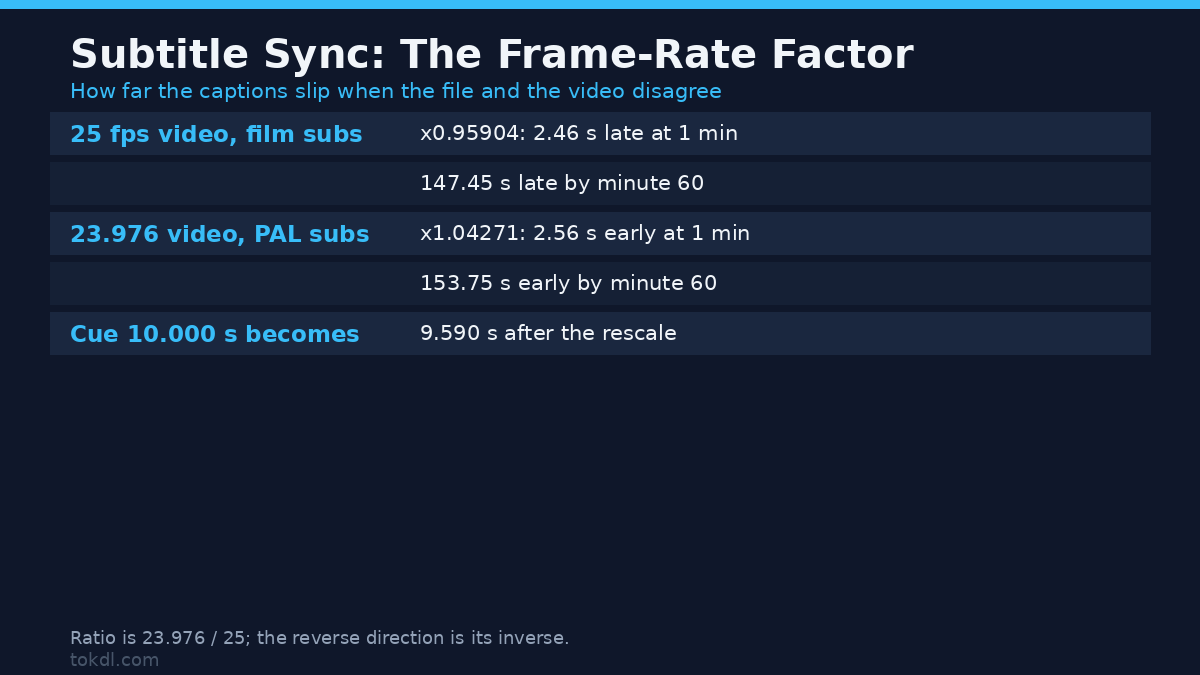
For a rate mismatch you edit every timestamp. The factor is the ratio between the two frame rates, and there are two directions you’ll meet in practice.
| What the file is | Multiply cue times by | At 1 min | At 30 min | At 60 min |
|---|---|---|---|---|
| 25 fps video, subs timed for a 23.976 film | 0.95904 | 2.46 s late | 73.73 s late | 147.45 s late |
| 23.976 video, subs timed for a 25 fps copy | 1.04271 | 2.56 s early | 76.88 s early | 153.75 s early |
Look at the last column for a moment. A film-timed subtitle file played on a 25 fps copy ends up two and a half minutes late, which is why subtitle sync drift is invisible in the first scene and obvious by the credits.
A small script handles the whole file. This is the version I ran:
import re, sys

FACTOR = 23.976 / 25.0            # 0.95904: film subs on a 25 fps copy
TS = re.compile(r"(d+):(d+):(d+),(d+)")

def scale(match):
    h, m, s, ms = (int(x) for x in match.groups())
    t = (h * 3600 + m * 60 + s + ms / 1000.0) * FACTOR
    h, rem = divmod(t, 3600)
    m, s = divmod(rem, 60)
    return "%02d:%02d:%06.3f" % (h, m, s)

src = open(sys.argv[1], encoding="utf-8").read()
open(sys.argv[2], "w", encoding="utf-8").write(
    TS.sub(lambda m: scale(m).replace(".", ","), src))
Fed my film-timed cue sheet, it turned 00:00:10,000 into 00:00:09,590 and 00:00:10,400 into 00:00:09,974. A one-hour cue moved from 01:00:00,000 to 00:57:32,544, which is the 147 seconds of drift from the table, removed.
Prove the subtitle sync landed before you ship it
Burn both versions, film-timed and rescaled, onto a black clip whose own clock is printed in the corner, then sample frames. I counted lit pixels in the caption band, which is everything that isn’t the black background:
| Frame sampled | Film-timed cue | Rescaled cue |
|---|---|---|
| video clock 00:00:09.720 | 0 lit pixels | 780 lit pixels |
| video clock 00:00:10.200 | 780 lit pixels | 0 lit pixels |
The rescaled cue shows up where the film-time line belongs. The untouched one shows up 0.41 seconds after it. That’s the whole repair, measured end to end instead of eyeballed.
What FFmpeg won’t do for subtitle sync
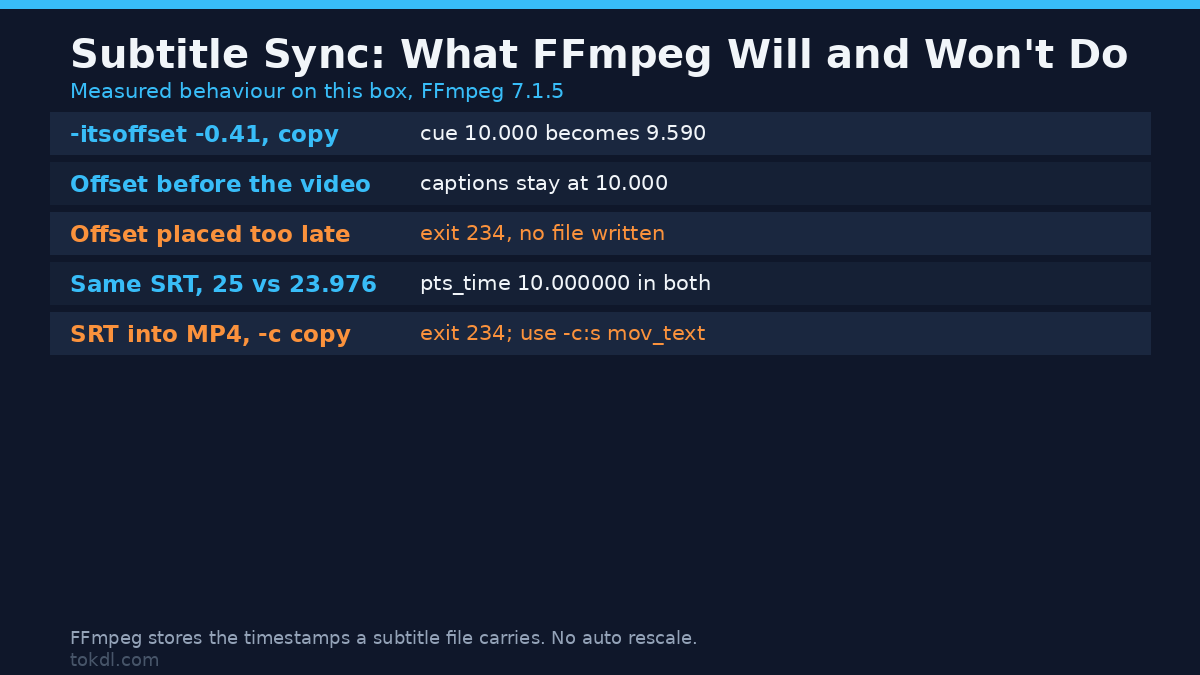
There’s a popular idea that FFmpeg rescales subtitle timestamps when the container frame rate differs. It doesn’t. I muxed the identical cue into a 25 fps container and a 23.976 fps container, and the subtitle packet read pts_time=10.000000 in both. The file holds the number you gave it, so the rescale is your job and a frame-rate flag on the video stream won’t touch the captions.
If the two files disagree about the frame rate itself, the metrics guide shows how to compare what actually came out, and the format comparison is the place to start if you’re unsure which subtitle format your player prefers.
Keep subtitle sync honest while you edit timestamps
Hand-editing timestamps breaks working subtitle sync in quiet ways. Four showed up in my tests:
A four-digit millisecond field resolves instead of failing. The cue 00:00:01,1200 was read as 00:00:02,200, because the extra digit carries into the next position. No warning, no error, and a line that’s now 1.2 seconds out. If the subtitle sync looks right in the file and wrong on screen, count the digits.
A cue without an hour field fails hard. The line 00:01,000 --> 00:03,000 gave an exit code of 183 and Invalid data found when processing input. SRT wants three time fields, and a PAL cue sheet from a converter is a common source.
MP4 won’t take an SRT stream as-is. Muxing with -c copy returns 234 and Could not find tag for codec subrip in stream #1, codec not currently supported in container. Use -c:s mov_text instead, and the timing survives: my 10.000 to 10.400 cue came back out of an MP4 round trip at exactly 10.000 to 10.400.
Keep a copy of the original before you retime anything, because the wrong direction (0.95904 when you needed 1.04271) only becomes obvious once you’ve watched the first minute.
Which fix to use
| Method | Use it when | Changes the file? |
|---|---|---|
| Player delay setting | you’re checking the size of the offset | No, and it forgets on exit |
-itsoffset on mux |
the offset is constant | Yes, the subtitle stream only |
| Timestamp rescale script | the error grows with time | Yes, every cue in the file |
| Trim the video | one scene is out and the rest fits | Yes, the video itself |
Those four routes cover almost every case, and only the last touches the picture. One honest note on the middle two: they don’t survive a re-download. If your player fetched the subtitle from the internet, the next download restores the original timing and your subtitle sync is wrong again. Save the repaired file beside the video under the same base name.
Audio drifts for its own reasons and needs a different repair, so the audio sync guide is the companion read: captions are text with timecodes, while audio sync moves samples against frames. If you’re still picking a format for the captions, adding subtitles covers the soft-track route, where the subtitle stream stays separate and editable.
Common mistakes
- Rescaling a file that only needed a constant shift, which leaves the first scene wrong and the last one right by accident.
- Putting
-itsoffsetbefore the wrong input, so the video moves instead of the captions. - Retiming an SRT and then muxing it into an MP4 with
-c copy, which fails with exit 234 instead of writing the file. - Trusting the file after a hand edit.
00:00:01,1200looks like a typo, reads as a valid cue, and moves your line by more than a second. - Fixing the subtitle sync in the player and calling it done, then wondering why the next viewing is late again.
FAQ
Why is my subtitle sync fine at the start and late at the end?
That’s the signature of a frame-rate mismatch between the subtitle file and the video. Multiply every cue by 0.95904 when the video is 25 fps and the subtitles were timed for a 23.976 film, or by 1.04271 the other way round.
Can I fix subtitle sync without re-encoding the video?
Yes. The -itsoffset command above copies both streams, so a subtitle sync repair costs a second of muxing and the picture keeps its quality. A rescale edits a text file, and the mux afterwards is another stream copy.
Which offset means the captions are late?
A negative -itsoffset pulls them earlier, which is what you want when a line appears after it was spoken. If they run ahead of the dialogue, use a positive value.
The short version
Measure two lines before you change anything. The same error at both ends means a constant offset, and -itsoffset with the right sign in the right position fixes it in one mux. An error that grows means the frame rates disagree, and the answer is arithmetic: 0.95904 one way, 1.04271 the other. Count the digits in any timestamp you type by hand, keep the original file, and check the subtitle sync by sampling a rendered frame instead of trusting the cue sheet. The FFmpeg manual documents -itsoffset as an input option, which is the placement rule that trips most people up, and the subtitle burn-in page covers the render step I used to check my work.